Custom AV Solutions for Event Lighting and Multi-Screen Video
A standard AV setup can fill a room, but it may not make every part of an event work together. Custom AV solutions designed around a specific event align lighting, sound, and screens with the venue, audience, and program. Multiple displays can show the same presentation or different content, depending on what best serves each moment.
It’s natural to focus on equipment first, but placement and coordination determine how clearly guests see and hear each part of an event. This article explains how custom AV differs from a standard setup and how lighting and multi-screen video can support visibility, atmosphere, and a cohesive experience. It also covers the design factors that make technical choices easier to plan.
Table of Contents
Lighting for atmosphere, visibility, and safety
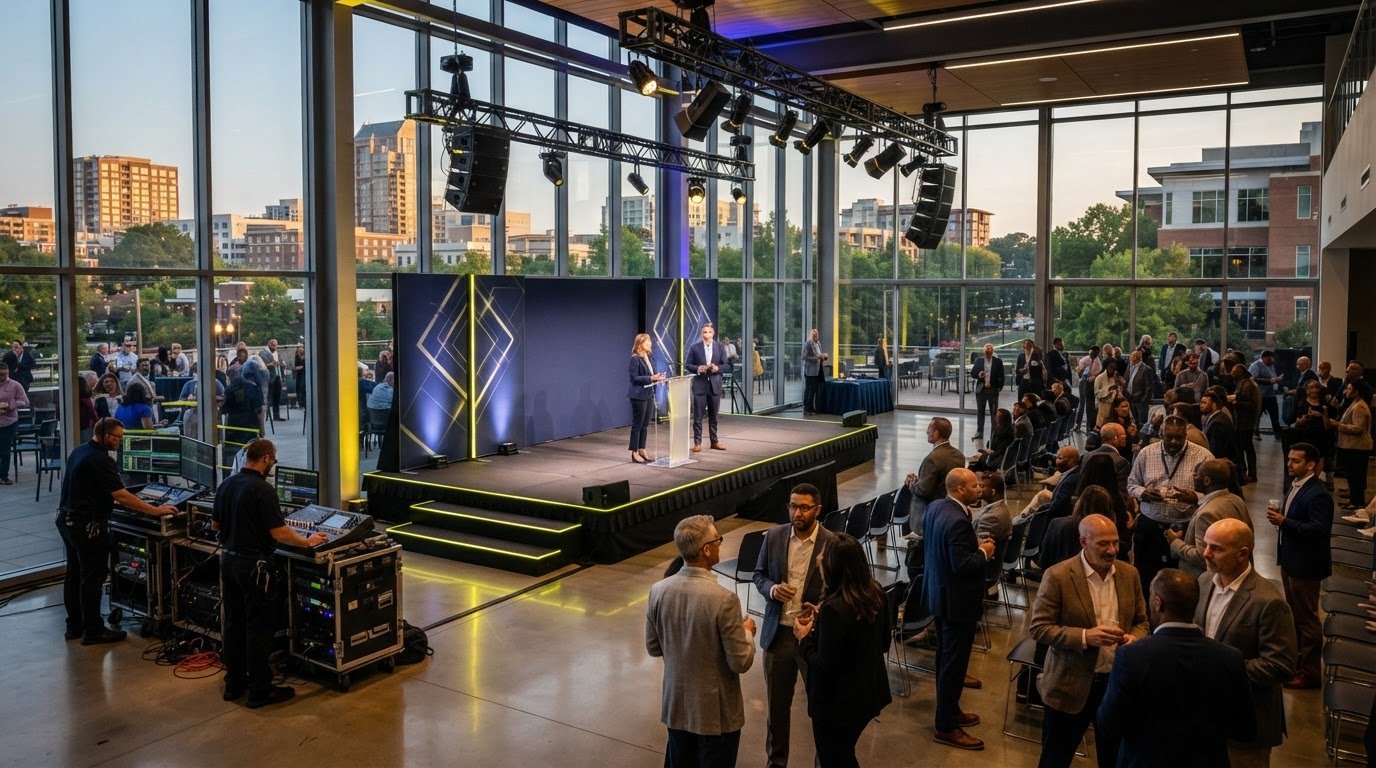
Lighting shapes what attendees notice and how clearly they follow each moment. A tailored production can use stage lighting to focus attention on speakers, then soften the room during networking. LED tubes or strips can create dynamic visual effects, while programmable LED pucks can add color to tables or venue edges. Thoughtful placement brings the room to life without making every surface compete for attention.
Balance lighting and video before choosing screens. Ambient light and glare affect visibility, so screen brightness, contrast, and placement should suit the room. At a small event, an LED display can carry presentation content while focused lighting defines the speaking area. For event venue audio, lighting, and projection, coordinate screen sightlines with stage positions and audience seating.
AV production connects lighting with audio, video, streaming, and staging. For example, lighting cues can change as a presenter moves from a keynote to a video, while indoor staging distinguishes the presentation area. In a large venue, lighting can highlight the stage and help attendees locate exits in an emergency. Keep exit routes visible and route cables away from audience pathways.
Venue rules and permit requirements depend on the space and production setup. Before load-in, review requirements for rigging, power, cable routing, exit access, and approvals. Discuss how the AV plan addresses screen glare, audience sightlines, lighting cues, streaming needs, and venue restrictions. Raising these practical questions early helps shape a workable design.
For conferences and large corporate events, organizers should book professional AV services 2-6 months in advance. That gives production planning time to account for venue access, staging, lighting, projection, and streaming requirements.
How Are Custom AV Solutions Different From Standard AV Systems?
Standard packages provide a preset setup. Custom production connects equipment choices to the event’s goals, audience, and venue. That difference matters when a meeting needs more than basic sound and a screen.
Custom Systems and Standard Packages
A standard AV package uses preset equipment, while a custom system matches each component to the event and venue. That matters when a corporate meeting needs microphones, cameras, and displays positioned for clear sightlines. Tailored design takes the presentation format, room layout, and attendee experience into account. It helps organizers identify essential functions instead of relying on a package that may not fit.
Customized Design and Integration
Custom design connects AV components to the event’s goals and operating needs. Planning considers the venue, audience capacity, program format, speaker count, and streaming requirements, then moves from assessing needs to designing, setting up, and configuring the system. Organizers can ask how the proposed setup supports key moments, handles source changes, and connects in-person and remote communication. Clear answers make production easier to coordinate.
Sound Tailored to Venue Acoustics
A venue’s dimensions, surfaces, and ambient noise affect how sound reaches attendees. Speaker placement and audio adjustments can account for reflections, absorption, and potential dead spots. A wireless microphone, for example, lets a presenter move across the stage while speaking. At a panel, individual microphones help keep each participant audible. Matching the sound system to the room supports clear communication without overpowering the meeting.
LED Walls and Projection Systems
LED displays and projectors serve different visual needs. LED displays can provide bright images in well-lit environments, while projection works well when screen placement and viewing distance suit the room. Consider ambient light, viewing angles, content, and sightlines before choosing. Coordinated video and stage lighting can also make keynote visuals feel connected to the program.
Video distribution across multiple screens
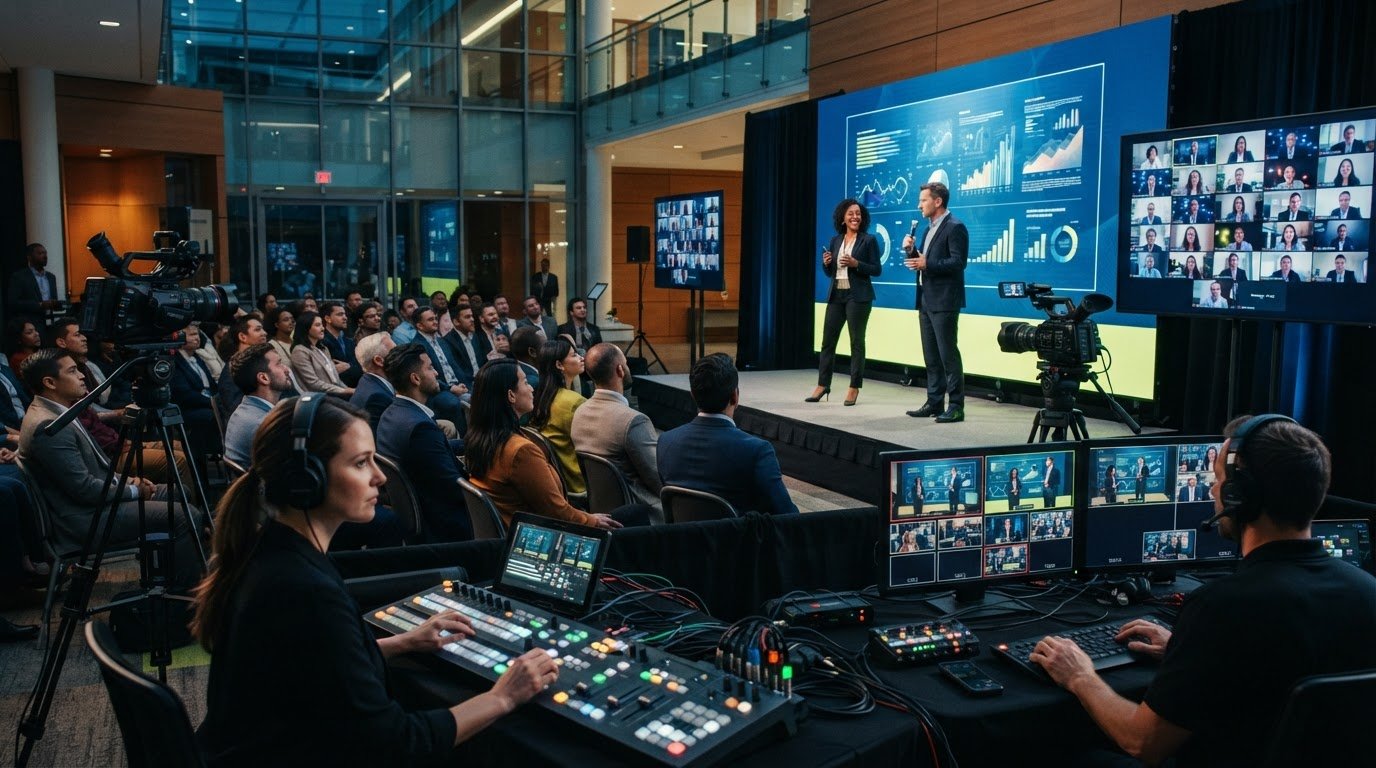
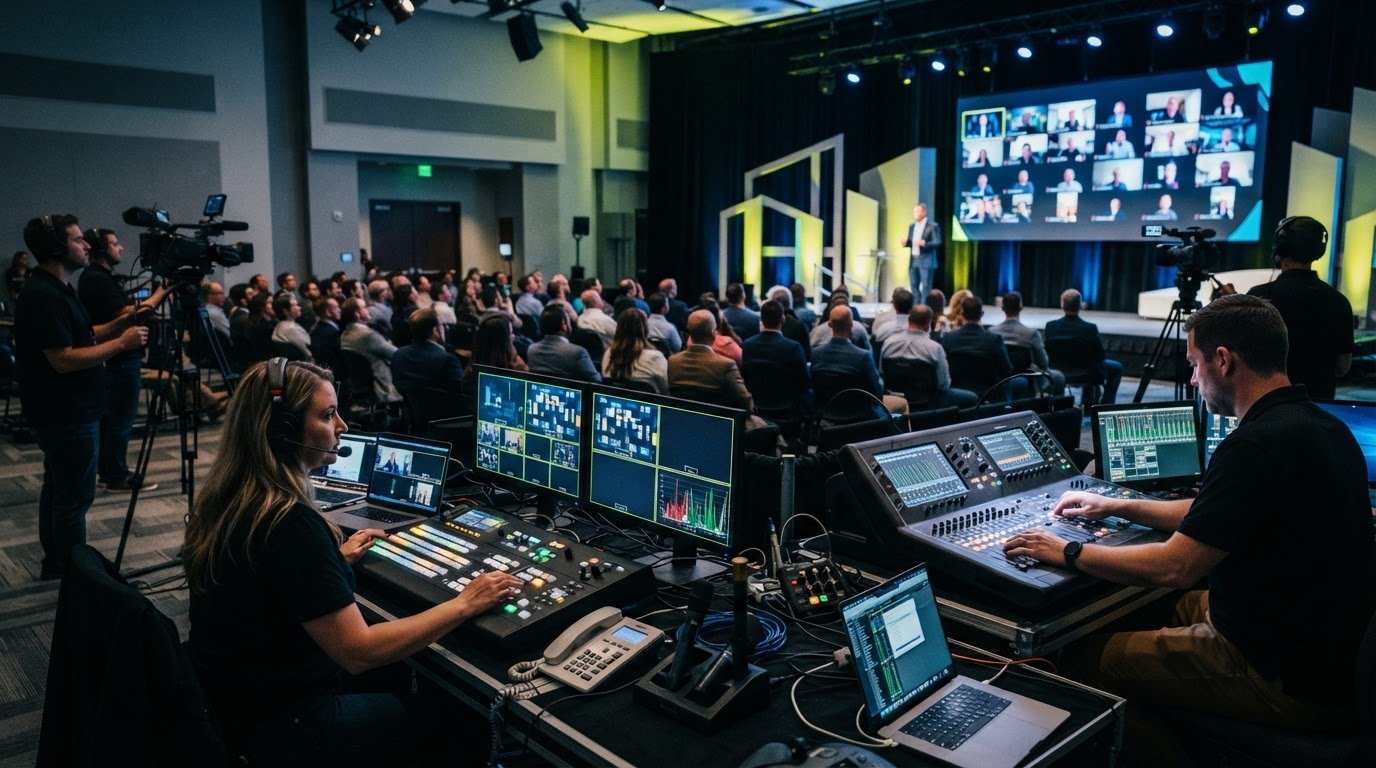
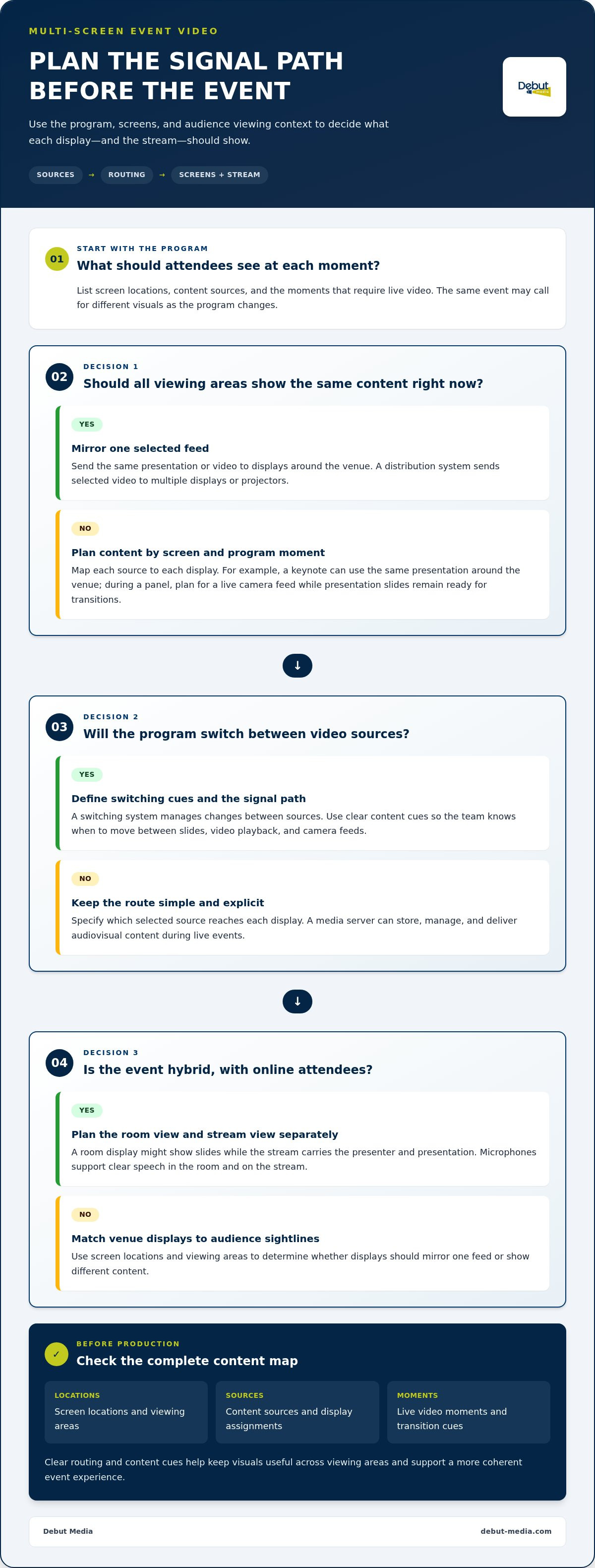
Multi-screen video works best when content routing is planned alongside the event program. A distribution system sends selected video to multiple displays or projectors, while a switching system manages changes between sources. At a keynote, the same presentation can appear on screens around the venue. During a panel, a live camera feed can be shown while presentation slides remain ready for transitions. This coordination keeps visuals useful from different audience sightlines.
A media server stores, manages, and delivers audiovisual content during live events. Used with switching equipment, it can help teams move between slides, video playback, and camera feeds. Map each source to each display, then decide what attendees should see at every program moment. Smooth transitions depend on clear content cues and a defined signal path, not simply on adding more screens.
For hybrid events, screen distribution also shapes the remote experience. A room display might show slides while the stream carries the presenter and presentation to online attendees. Microphones support clear speech in the room and on the stream. Matching content to each viewing context can improve presentations without requiring every display to show identical material.
Before production, identify screen locations, content sources, and moments that require live video. In a venue with several viewing areas, this plan helps determine whether displays should mirror one feed or show different content. The result is a more coherent experience, with fewer distracting source changes and visuals that support the event’s message.
Debut Media AV and Production: Audio Visual Services
Debut Media AV and Production provides AV and production services for corporate events, helping organizers coordinate the equipment their program needs. Its Audio Visual Services support presentations, speakers, and screens across meetings, conferences, and galas in Raleigh, Durham, and Chapel Hill.
Projector and Screen Rentals support presentation visibility, while Speaker and Microphone Rental helps presenters and panelists communicate clearly. For coordinated production, AV Corporate Event Production Services bring the requirements into one plan. The right combination depends on the venue, audience, program, and whether the event includes streaming.
Share the event format, venue details, presentation needs, and planned screen use to shape a practical AV approach. Contact Debut Media AV and Production to discuss your event’s audio visual needs.
Shape the AV Plan Around Your Event
Turn your event goals into a clear production plan. Consider what attendees need to see and hear, how the venue affects equipment placement, and whether remote participation is part of the program. With those priorities defined, custom AV solutions designed around a specific event can connect technical choices to the experience you want to create.
Debut Media offers Audio Visual Services, Projector and Screen Rentals, and AV Corporate Event Production Services for events in Raleigh, Durham, Chapel Hill, and surrounding areas. Share your event format and production needs to start a focused conversation about the setup.
A well-considered plan makes the technology easier to manage, giving your team more room to focus on the event itself.
Frequently Asked Questions
How Do You Know What AV Equipment Your Event Needs?
Start with the agenda, audience, and venue, then match equipment to each activity. At a Durham corporate event with a keynote and audience questions, custom AV solutions designed around a specific event can account for presentation visuals and microphones for discussion. A Raleigh meeting with remote participants also calls for streaming. Room capacity, speaker count, budget, and network needs help shape the plan.
What Are Audio Visual (AV) Services?
AV services bring together the technology and technical support used to share sound and visuals at an event. Depending on the program, this can include microphones for speakers, screens for slides, stage lighting, or streaming for remote viewers. A Chapel Hill company meeting, for example, might need clear audio for discussion and presentation visuals for attendees in the room.
What Are Custom AV Solutions and Why Do They Matter Today?
Custom AV solutions designed around a specific event match equipment and production choices to the program, venue, and audience. They are useful when a preset setup cannot support every part of an event, such as a Durham conference combining keynote slides, a panel, and remote participation. Planning around those needs helps connect the experience for in-person and online attendees.
What Common Problems Do Custom AV Solutions Solve?
A tailored setup can address unclear speech, inconsistent visuals, confusing controls, disconnected platforms, and limited room to expand. For example, a panel can be difficult to follow if audience questions are not picked up clearly. Matching the setup to the agenda can also make transitions between slides and video easier to manage, reducing technical interruptions that distract attendees.
What Industries Benefit Most From Custom AV Solutions?
Organizations that rely on presentations, communication, or audience participation can benefit, including those in corporate, education, healthcare, hospitality, and retail settings. A corporate conference in Raleigh may need presentation and streaming support, while a classroom may prioritize interactive displays. The right fit depends on how an organization uses its space and communicates, not simply on its industry.