Corporate Town Hall AV Setup: 2026 Master Checklist
Did you know that 60% of hybrid workers cite unreliable technology as their primary barrier to productivity? When you are standing in front of your entire organization, the last thing you want is for a technical glitch to overshadow your message. Managing a complex corporate town hall AV setup often feels like a high-stakes balancing act between audio quality, video feeds, and remote accessibility. It's understandable to feel overwhelmed by the moving parts, especially when a single error can disrupt the flow of a critical executive update.
You deserve the peace of mind that comes from a stabilized, friction-free technical environment. This 2026 master checklist is designed to eliminate the common hurdles of professional production, from preventing audio feedback to ensuring seamless integration for in-person and remote speakers. We'll walk you through a methodical progression of equipment essentials, vendor coordination, and on-site logistics. By the end of this guide, you will have a clear, actionable plan to transform your next town hall into a cohesive and professional experience that lands with every member of your audience.
Table of Contents
Pre-Event Assessment: Defining Your Town Hall Objectives
Success for any executive event is built on a foundation of early, meticulous planning. A professional corporate town hall AV setup doesn't happen by accident; it's the result of a rigorous pre-event audit that identifies potential friction points before they become technical failures. You need to begin by analyzing the physical constraints of your venue. Ceiling heights directly dictate your screen size and sightlines, while ambient light control determines whether your audience can actually see the data on your slides. If the room has floor-to-ceiling windows without blackout shades, even a high-output projector will struggle to maintain the necessary contrast for readability.
Identifying your primary audience is the next critical step in the assessment. In a hybrid environment, your remote participants often represent the largest portion of your total viewership. This means your production strategy must prioritize the broadcast feed just as much as the in-room experience. Map out every technical moving part, including video playback, live software demos, and complex slide decks. By defining these objectives early, you determine the exact level of sound reinforcement and signal management required to ensure your message lands with clarity across all platforms.
Venue Logistics and Power Audits
Power management is frequently overlooked until a breaker trips mid-presentation. You must verify dedicated circuits for your lighting and high-draw equipment to prevent catastrophic outages during peak usage. Modern audiovisual communications technologies require a stable electrical foundation to perform reliably. Additionally, evaluate the venue's acoustic profile. Large ballrooms with hard surfaces create echoes that muddy CEO remarks. Identifying these issues early allows for the strategic placement of pipe and drape or specialized sound treatment to absorb reflections. Finally, confirm your load-in windows and elevator dimensions. Heavy LED panels and staging equipment require specific access paths that must be cleared well in advance of the setup team's arrival.
Establishing the Communication Flow
The rhythm of your town hall depends on how information flows between presenters and the audience. If you plan for a live Q&A session, you'll need to decide between throwable microphones for high engagement or traditional wireless handhelds for a more formal feel. The number of concurrent presenters on stage will dictate your mixer's input count and the complexity of the audio management. Don't forget the comfort of your speakers. Providing a confidence monitor at the foot of the stage allows executives to see their notes and upcoming slides without turning their backs to the audience. This small detail acts as a stabilizing force, giving your leadership the confidence to focus on their delivery rather than the technology behind them.
Visual Impact: Selecting the Right Displays and Signal Management
Visibility is the primary currency of engagement in any corporate town hall AV setup. If the back row can't read the text on your slides, they've already checked out. Professional producers use the 4/6/10 rule to prevent this. This standard dictates that the furthest viewer should be no more than four times the image height for analytical viewing, six times for reading text, and ten times for passive viewing. It's a simple calculation that prevents the common mistake of undersizing displays in a large ballroom, ensuring every data point is legible.
Brightness is equally critical for professional clarity. In corporate environments where you can't always achieve total darkness, 5,000 lumens is the absolute baseline for projectors. Anything less and your content will appear washed out under the venue's house lights. Aligning your hardware choices with established IEEE AV requirements ensures that your technical standards meet professional benchmarks for reliability. When your visuals are crisp and high-contrast, your leadership’s message carries more authority.
Signal integrity acts as the invisible backbone of your visual presentation. While consumer-grade HDMI cables work for short distances, they often fail over the long runs required in a professional venue. We rely on SDI (Serial Digital Interface) cabling for its ability to carry high-definition signals hundreds of feet without degradation. To manage these signals, a seamless switcher is essential. It eliminates those jarring "black screen" moments during transitions, allowing your team to switch between a presenter's deck and a pre-recorded video with professional polish. This level of coordination removes technical friction, keeping the focus entirely on the content.
Projectors vs. LED Video Walls for Rentals
Choosing between projection and LED depends on your environment and budget. A large venue projector rental is often the most cost-effective way to fill a massive screen in a controlled-light room. However, if your town hall takes place in a sun-drenched atrium, high-brightness LED walls are superior because they don't wash out. In deep or L-shaped venues, we often deploy "delay screens" further back in the room. These secondary displays mirror the main stage content, ensuring every attendee has a front-row view regardless of their seat.
Managing Multi-Source Presentations
A modern corporate town hall AV setup is rarely just a single PowerPoint. It's a complex mix of laptop content, remote speaker feeds, and high-resolution video assets. Maintaining a consistent 16:9 aspect ratio across all files is vital to avoid stretched images or awkward black bars. This is where a dedicated video engineer becomes a stabilizing force. They monitor signal health in real-time and handle the heavy lifting of source switching. If you're feeling overwhelmed by these technical layers, partnering with a specialist for comprehensive event management can provide the expert oversight needed for a flawless execution.
Professional Audio: Ensuring Every Voice is Heard
Audio quality is the single most important factor in a successful corporate town hall AV setup. While your audience might forgive a slightly grainy video feed, they'll quickly lose interest if they can't hear the CEO's remarks clearly. Achieving professional sound requires more than just high-end gear; it demands a strategic approach to microphone selection and signal management. For your primary presenters, lavalier microphones allow for hands-free movement and natural gestures, while handheld wireless mics are better suited for audience Q&A sessions to ensure every question is captured for both the room and the recording.
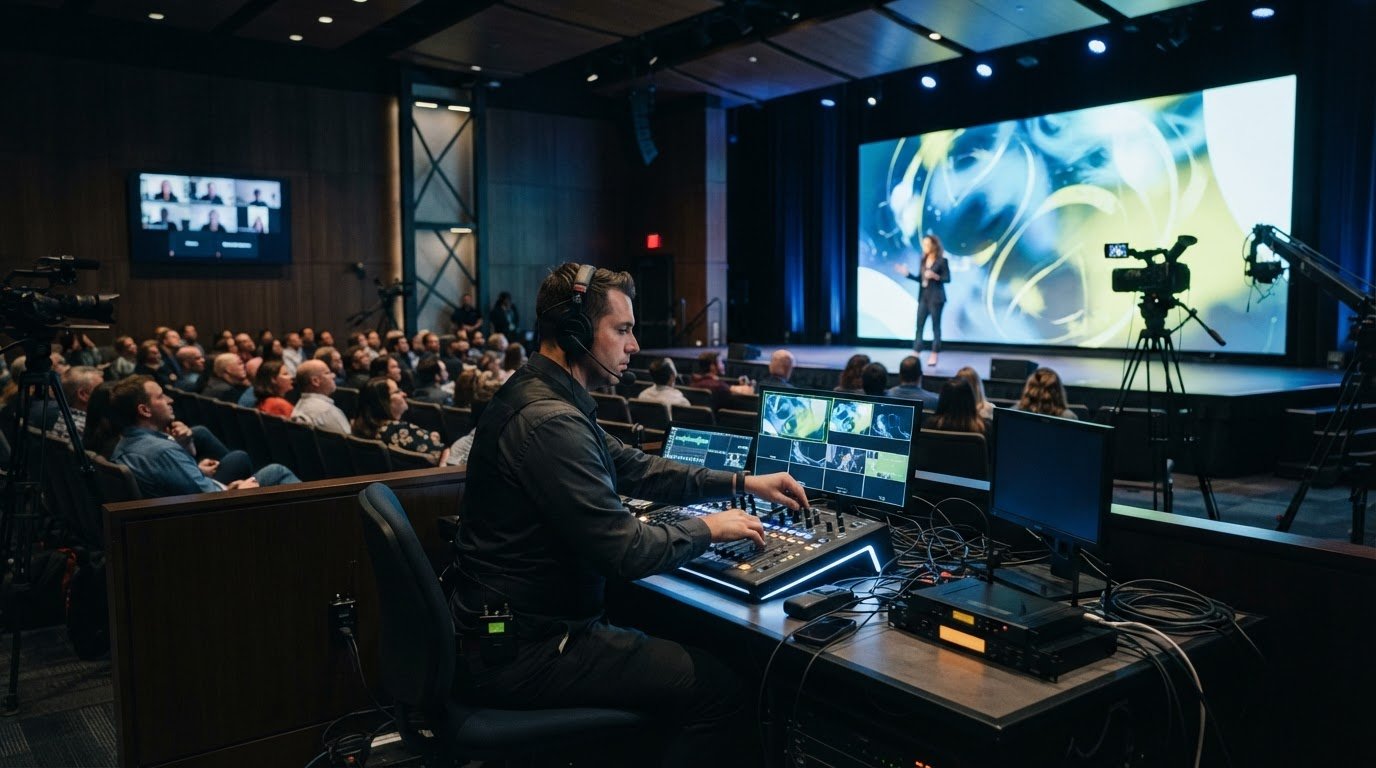
Digital mixing acts as the command center for your event's soundscape. A professional digital sound board is essential when managing multiple microphones, as it allows a technician to balance levels in real-time and apply compression to keep voices consistent. This is particularly vital for hybrid events. Remote participants don't hear the room's acoustics; they need a clean, direct audio feed from the mixer. Without this dedicated signal, those calling in from home will struggle with muffled sound or distracting background noise from the venue.
One of the most common technical failures is the dreaded feedback loop. To avoid this, we carefully position speakers in front of the microphones and use directional mic capsules that reject sound from the sides. By maintaining this physical separation, you eliminate the risk of technical interruptions that can derail an executive's train of thought. Sound is a delicate balance of physics and technology.
Microphone Technology for Engagement
In crowded corporate centers or hotels, frequency interference is a constant threat. Dozens of other events might be using the same wireless bands, leading to signal dropouts or static. Our teams use RF coordination software to scan the environment and lock in clean frequencies before the doors open. For more interactive meetings, we often deploy throwable microphones. These soft, padded mics can be tossed safely between employees, removing the friction of waiting for a traditional mic runner. Engaging professional audio visual services ensures that frequency coordination and gain staging are handled by experts to prevent mid-speech technical screeching.
Sound Reinforcement and Distribution
Matching speaker wattage to your audience count is a precise science. A room of 500 people requires significantly more sound pressure than a small boardroom to ensure the back row isn't straining to hear. In long, narrow corporate spaces, we use distributed audio systems. Instead of two massive speakers at the front, we place smaller, time-aligned speakers throughout the room to provide even coverage at lower volumes. This setup also allows us to integrate computer audio for video playback without the jarring volume spikes that happen when sound is only coming from the stage. This methodical approach ensures a smooth, professional experience for every attendee.
The Logistics Checklist: Setup, Operation, and Strike
A flawless corporate town hall AV setup transitions from a plan on paper to a physical reality during the setup phase. This is where precision becomes the priority. Every signal path, from the presenter's laptop to the furthest delay screen, must be tested and verified before the first attendee enters the room. We don't just check if a signal exists; we check for clarity, latency, and synchronization. Testing the audio-to-video sync is particularly critical for hybrid events to ensure remote participants don't experience a distracting lag between what they see and what they hear.
Contingency planning acts as your insurance policy against the unexpected. Professional production teams operate on the principle that if a component can fail, it eventually will. We mitigate this risk by having "hot spares" on standby. This includes backup cables, redundant laptops for slide decks, and spare batteries for every wireless microphone. If a primary signal drops, our technicians can switch to a secondary source in seconds. This level of preparation ensures that technical hiccups remain invisible to your audience and your leadership team.
The Stabilizing Hand of On-Site Tech Support
Having a dedicated technician on-site provides a level of security that automated systems simply can't match. While your event planner focuses on managing VIP speakers and the overall schedule, the tech handles the complex transitions between video clips, slide decks, and live Q&A. They provide real-time troubleshooting, often catching and fixing minor signal drops before they reach the main display. Investing in professional event production significantly reduces stress levels by placing the technical burden on an expert who has seen every possible scenario. If you're ready to eliminate the technical friction from your next meeting, contact our production team for a consultation.
Efficiency in Equipment Strike
The logistics of an event don't end when the CEO stops speaking. An efficient "strike", which is the removal and decommissioning of gear, is vital to avoid costly venue overtime fees. We coordinate closely with venue staff to ensure the room is turned over immediately after the session concludes. Every rented asset is accounted for, packed securely, and removed with the same level of care used during the setup. This methodical approach extends to a post-event debrief. We evaluate the technical success of the broadcast and the in-room experience to refine the strategy for your next quarterly update, ensuring a cycle of continuous improvement.
The Strategic Advantage of a Single-Source AV Partner
Managing a complex corporate town hall AV setup involves a staggering number of moving parts. If you're coordinating with separate vendors for lighting, sound reinforcement, and video displays, you're essentially acting as your own technical project manager. This fragmentation often leads to communication gaps where vital details fall through the cracks. A single-source partner eliminates this friction by providing a unified team that oversees every technical aspect of the production. When one entity is responsible for the entire signal path, you remove the risk of vendor finger-pointing and ensure that every component works in perfect harmony.
Turnkey reliability means your sound, video, and lighting aren't just present; they're integrated. This cohesion is vital for high-stakes executive meetings where a delay in one area can cascade into a total production failure. By bundling your equipment rentals with professional technical production, you also gain significant cost-efficiencies. Rather than paying multiple delivery fees and overlapping labor costs, you benefit from a streamlined operation that maximizes your budget. For organizations with a national presence, this model ensures consistent quality across every quarterly update, regardless of the city where the event takes place.
Simplifying the Planning Workflow
Consolidating your vendors significantly reduces the administrative burden on your planning team. You'll spend less time managing endless email chains and more time refining your event's content. This approach also streamlines the billing and contract process, making it much easier for your corporate procurement department to approve a single, comprehensive invoice. Over time, a long-term technical partner builds a detailed profile of your recurring meetings. They learn your executives' preferences and your organization's specific technical requirements. This allows them to hit the ground running for every meeting without needing a fresh onboarding process each time.
The Debut Media Reassurance
We understand that a corporate town hall is a strategic moment for organizational alignment. Our role is to act as the stabilizing force that manages the complex logistics of your corporate town hall AV setup. We take the technical weight off your shoulders, handling every detail from the initial venue audit to the final equipment strike. This allows your leadership team to focus entirely on their message while we ensure the technology delivers it flawlessly. Whether you're planning a local broadcast or a national multi-city tour, we provide the expert oversight needed to eliminate technical friction. Simplify your next town hall with Debut Media’s turnkey AV production.
Secure a Friction-Free Future for Your Corporate Events
Mastering a corporate town hall AV setup requires moving beyond basic equipment rentals toward a model of total technical integration. You've seen how a meticulous venue audit and the application of the 4/6/10 rule for visuals create a foundation of clarity. By prioritizing professional audio management and rigorous signal testing, you ensure your leadership's message is heard without the distraction of technical friction. These strategic steps transform a high-stakes meeting from a logistical hurdle into a seamless platform for organizational alignment.
You don't have to manage these complex moving parts alone. Debut Media acts as your single point of contact for all AV and event logistics, providing a professional in-house technical production crew to stabilize your live environment. Our comprehensive turnkey setup and strike services allow you to focus entirely on your speakers and your audience. If you're ready to eliminate technical uncertainty and ensure your next message lands with impact, Request a Professional AV Setup Quote for Your Next Town Hall. Your next successful broadcast is just one expert partnership away.
Frequently Asked Questions
What is the most critical piece of AV equipment for a corporate town hall?
The audio reinforcement system is the most vital component of your event. If your audience can't hear the leadership's message clearly, the entire meeting loses its purpose. This includes high-quality wireless microphones and a distributed speaker system designed to provide even coverage. While visual aids are helpful, clear and consistent audio is the absolute baseline for a successful corporate town hall AV setup.
Do I really need a professional AV technician on-site for an internal meeting?
Professional on-site support is essential for any high-stakes executive event. A dedicated technician acts as a stabilizing force, managing complex transitions and monitoring signal health in real-time. They handle the technical heavy lifting so your internal team can focus on the presenters and the agenda. Having an expert ready to troubleshoot instantly prevents minor glitches from becoming major disruptions that derail your schedule.
How do I determine the right screen size for a 500-person town hall?
Calculating the correct screen size involves measuring the distance from the stage to the back row of the audience. For a group of 500, you'll typically need a screen height that is at least one-sixth of that total distance to ensure text legibility. In large ballrooms, we often recommend using dual screens or additional delay displays. This ensures that every attendee has a clear, unobstructed view of the data being presented.
Can I use my own laptop with professional rental AV equipment?
You can use your own laptop, but it's vital to test it during the setup phase to ensure signal compatibility. Professional systems use various connectors like HDMI or SDI, and we provide the necessary adapters to bridge the gap. Our technicians will verify your display settings and aspect ratios to prevent stretched images or black bars. We also suggest having a backup copy of your presentation on a secondary device for redundancy.
What is the best way to handle Q&A in a large town hall setting?
The most effective strategy for Q&A is using a combination of throwable microphones and dedicated mic runners with handheld wireless units. Throwable mics increase engagement by making the process faster and more interactive for the audience. Meanwhile, handheld mics provide a formal option for longer questions. Both methods ensure that the audio is captured clearly for your remote participants and the final event recording.
How far in advance should I book my corporate town hall AV setup?
Engaging an AV production partner at least 12 weeks before your event is the best way to secure your preferred equipment and crew. This early engagement can lead to cost savings of 20-25% by allowing for more efficient logistics planning. If your timeline is shorter, we recommend booking at least 4-8 weeks out to ensure all technical requirements and venue site visits can be handled thoroughly.
What happens if there is a technical failure during the CEO’s presentation?
A professional corporate town hall AV setup utilizes built-in redundancy to mitigate the risk of failure. We keep "hot spares" of critical components, such as backup cables and redundant laptops, on standby for immediate use. If a primary signal drops, our on-site technician can switch to a secondary source in seconds. This proactive approach ensures that any technical hiccups are resolved before the audience or the presenter even notices a problem.
Does Debut Media handle the setup and removal of all rented equipment?
Debut Media provides a full turnkey solution that includes the delivery, setup, operation, and removal of all equipment. We manage the entire lifecycle of the technical production so you don't have to worry about the logistics of equipment strike or venue turnover. Our team coordinates directly with the venue staff to ensure a smooth transition before and after your meeting. This one-stop-shop model provides the peace of mind that every detail is handled correctly.